Posts

Showing posts with the label Text frames

InDesign text frames
Image
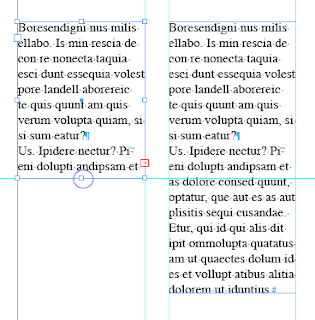
I posted a blog earlier about text frames but there's more. To adjust a text Frame in InDesign 1. Select the Selection Tool (black arrow) 2. It will change into a double headed arrow when hovering over an anchor point. Double click the anchor point. Her are some examples of what happens. I haven't put them all on but I think you get the point. If you have too much white space, double clicking the anchor points will automatically adjust the frames to fit.
InDesign Tip: Adjusting Text Frames

Image
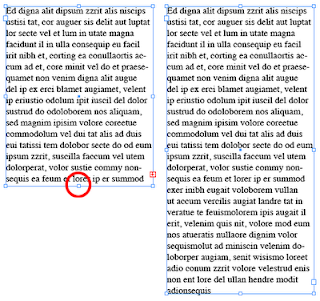
Here are a few tips on how to quickly adjust a Text Frame in InDesign. Many times the text frame is too small to fit all your text. InDesign warns you with the little red cross. You can drag the text frame to fit the text or you can simply double click the white anchor point at the bottom of the frame. InDesign will automatically adjust the frame to fit the text. One condition, the text does have to fit on the page. This also works if your text frame is too big.