Photoshop: The F -key
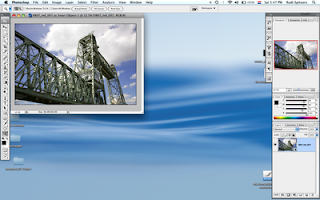
In my previous blog I mentioned the F key. This is the keyboard shortcut for different screen modes. Photoshop has four different screen modes that all have their own function. Standard Screen Mode The first time you open a file in Photoshop it will show on your monitor in this mode.The image will have scroll bars, information about the document, a title bar and the window can be scaled by dragging the bottom right corner. This mode is super handy if you want to use several images to make composites. Here's what I do. 1. Open the images I want to use. 2. Go to Window> Arrange>Tile Horizontally and they tile underneath each other or Tile Vertically and they go next to each other. Drag one image on top the next. A copy of that image is placed on a separate layer. Close the original file and type the F key to go to the next Screen Mode. Tip: hold down the Shift key when dragging the image and Photoshop will place the image in the centre of the file. The benefit of working like t...