Posts

Showing posts with the label polygon

Geometric shapes in Illustrator
Image
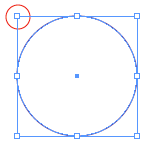
You all know there are several ways to draw a geometric shape in Illustrator. Select the shape in the Toolbox and click and drag across your artboard. Where you click is the top left corner of your rectangle, ellipse or rounded rectangle and it is a fixed point. However a Star or polygon are drawn with the centre as the fixed point. Use the arrow keys, while dragging a star or polygon to increase or decrease the points or sides. To draw a shape with exact dimensions select the shape in the toolbox and click once on your artboard to open the shapes dialogue box. Enter the dimensions. To make a square or a circle you need only fill in one of the dimensions and then click on the word height or width (which ever has not been entered) the text field will automatically be filled with the same value. As reference point, the same applies when using the dialogue box. Where you click is either the centre or left hand corner depending on the shape. By default the rectangle, ellipse and rounded re...

Stars

Image
The other day the subject of drawing stars in InDesign came up. Which was followed by a discussion about the meaning and symbolism of different stars. That inspired me to write this blog. I will give you a few tips about making stars in InDesign, Illustrator and Photoshop. After googling about stars I soon found out that a star is not just a star. Stars have many meanings and you may find yourself sending the wrong even unwanted message with the shape of your star. If you want to know more about stars then check out this wikipedia link. Illustrator Stars The Star Tool is found behind the Rectangle Tool. To make a star, select the Star Tool and drag diagonally. Whilst dragging, to increase or decease the number of points click the arrow keys up or down. This also works for the Polygon Tool. By holding down the Option key while dragging, Illustrator will try to keep the lines of the star horizontal. This does not always work, however with the 5 pointed star it it does just what we want....